An installer can arrive with the correct VESA plate and still have nowhere to secure the clamp. A support rail may occupy the underside of the worktop, the edge may fall outside the permitted thickness range, or the arm may push the screen into a wall before it reaches a useful position. These conflicts are easier to prevent before an order is placed than after the desks are occupied.
The short answer is no: a desk-mounted monitor arm is compatible only when the screen, mounting plate, arm, desktop and available space work as one system. Use the checks below for a single workstation or as an approval sheet for a larger office project.
Start with four interfaces, not one product label
Retail filters often begin with screen size. That is useful, but it does not settle compatibility. A defensible selection records four separate interfaces:
| Interface | Evidence to record | What can invalidate the choice |
|---|---|---|
| Screen to mounting plate | Exact display model, weight without its original stand, VESA hole pattern, curvature and any required adaptor | The hole pattern is absent, recessed or needs an adaptor; the screen sits outside the arm’s stated load range |
| Mounting plate to arm | Approved screen count, weight range, reach, tilt and rotation for the chosen configuration | A dual or curved-screen arrangement changes the permitted configuration |
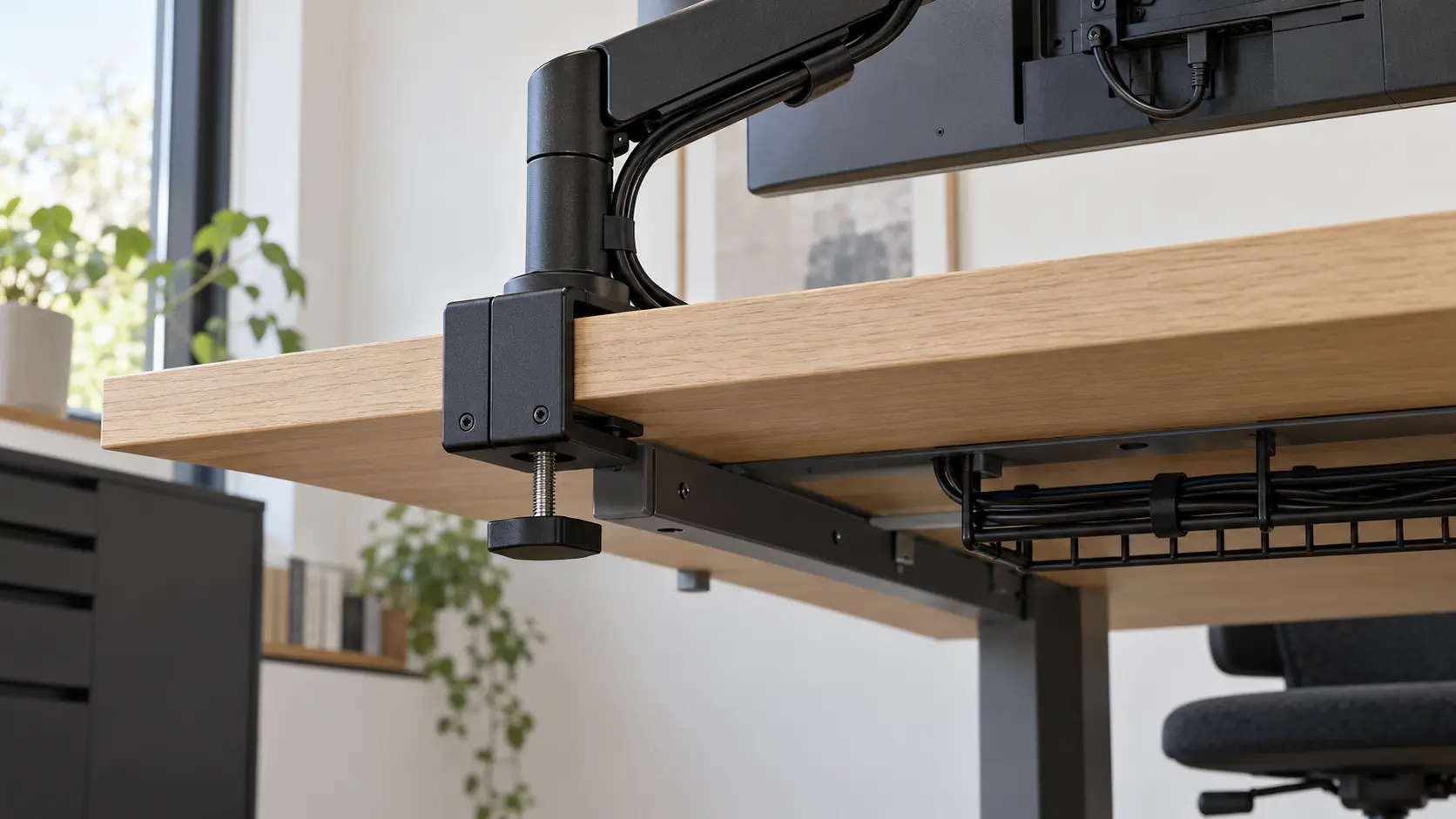
| Arm to desktop | Fixing type, worktop thickness and material, edge profile, access above and below the surface | A support rail, modesty panel, cable tray, bevelled edge or unapproved surface prevents a secure fixing |
| Workstation to room | Rear clearance, neighbouring screens, cable route and, for a sit-stand desk, the complete travel path | The arm or screen meets a wall, partition or adjacent display; cables tighten or snag |
The VESA Flat Display Mounting Interface standard defines standardised mounting interfaces for flat displays, but a VESA-compatible pattern does not confirm the rest of the installation. It only answers the connection between the display and the mount. The VESA mounting-standard overview is the appropriate starting point; the screen and arm manuals remain the evidence for the exact models.
Seven checks before choosing a monitor arm for a desk
1. Identify the screen by model, not by diagonal size
Record the model number from the rear label or the manufacturer’s specification. The weight needed is normally the display weight without the supplied desktop stand, but confirm how the arm manufacturer defines its limit. Two screens with the same diagonal measurement can differ in weight, depth, curvature and mounting position.
This is why product families have different load windows. In the Studio Office catalogue, the Flo Monitor Arm is specified for screens from 2 to 7 kg, while the Flo X Monitor Arm covers larger single screens from 3 to 18 kg. These figures apply to those models and configurations; they are not a general rule for all arms.
2. Confirm the VESA pattern and any adaptor
Check the pattern stated in both specifications. Do not assume that four visible holes are the required interface. Some displays need a manufacturer-specific adaptor, and a recessed mounting area may affect which plate or screws can be used. If an adaptor is required, treat it as part of the approved assembly and include its effect on weight and depth.
3. Match the load range, not merely the maximum load
Dynamic arms rely on a spring or other counterbalance. A screen that is too light can be as unsuitable as one that is too heavy because the arm may not balance or remain where it is placed. Use the complete permitted range for the exact arm, head and screen count. For an unfamiliar display, a manufacturer’s model-specific compatibility tool, such as the Ergotron Mount Finder, shows the level of evidence worth seeking even when another brand is being considered.
4. Survey the desktop edge and underside
Measure the worktop where the fixing will actually sit. Record its total thickness, edge shape and material. Then look underneath. The clamp needs an unobstructed bearing area, not just a visible gap from the front of the desk. A frame rail, cable tray, sliding top mechanism or modesty panel may occupy the same zone.
Do not make a blanket assumption about glass, stone, hollow-core or unusually profiled worktops. Use an attachment only when the desk and arm manufacturers approve the combination and specify any reinforcement. A protective pad cannot turn an unapproved surface into an approved one.
5. Choose the fixing method deliberately
A split clamp, top-mount clamp and through-desk or grommet fixing are not interchangeable descriptions. Each has its own access and thickness conditions. Colebrook Bosson Saunders, for example, publishes different thickness ranges and use cases for the fittings in its Flo Modular technical specification. Use the specification for the exact fitting supplied, not a measurement copied from another arm in the same brand.
| Fixing route | Useful when | Pause the order when |
|---|---|---|
| Edge clamp | The rear or side edge is accessible and the permitted bearing surfaces are clear | The edge is bevelled, the underside is blocked or the worktop is outside the stated range |
| Top-mount clamp | Access from below is restricted and the manufacturer offers a suitable top-installed fitting | The fixing still conflicts with a sliding top, rail or other desk mechanism |
| Through-desk or grommet fitting | An approved opening and sound mounting zone are available away from structural parts | The hole position, diameter, reinforcement or permission to drill is unresolved |
| Freestanding or wall-mounted alternative | The desktop cannot accept an approved desk fixing | The base footprint or wall structure has not been checked for that product |
6. Draw the movement envelope
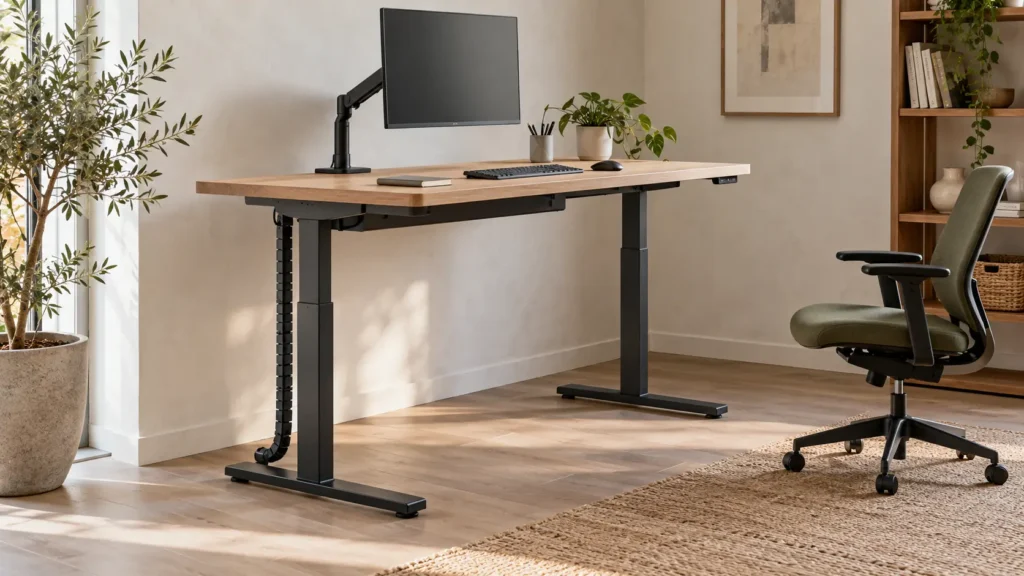
Check where the screen will sit when centred, pulled forward, rotated and pushed back. Large curved displays need attention to depth as well as weight. The screen may satisfy a load limit yet still meet a wall or project too far over a shallow desk. For two or more displays, confirm the combined arrangement at the user’s normal viewing position rather than relying on a staged product photograph.
7. Route the cables through every intended position
List each cable and where it starts and ends. Allow movement at the arm joints without putting tension on a connector, and keep the service loop clear of the clamp and desk mechanism. If the arm will sit on a height-adjustable desk, test the desk’s full travel with the real equipment connected, following the desk and arm instructions. Our standing-desk handover checklist covers that separate commissioning step.
A worked example: six desks, three different answers
Consider a hypothetical six-person team that wants matching black monitor arms. Buying six identical units sounds tidy, but the survey shows three installation conditions:
- Desks 1 and 2: single flat displays, square accessible rear edges and clear undersides. An edge clamp remains a candidate after the exact screen, VESA pattern, worktop thickness and arm range are verified.
- Desks 3 and 4: the same screens, but a full-width cable tray occupies the clamp zone. The correct response is not a smaller clamp chosen by eye. Move or redesign the tray only if the desk system permits it, or assess an approved alternative fixing.
- Desks 5 and 6: large curved displays on sit-stand desks beside a glazed partition. These stations need a suitable high-load arm, a checked screen-depth and movement envelope, sufficient partition clearance and a full cable-travel test.
The visual result may still be consistent, but the bill of materials does not have to be identical. Standardise the appearance where possible and the technical solution where justified.
The approval sheet to attach to the quotation
- Screen manufacturer and exact model number
- Quantity of screens at each workstation
- Weight without stand and VESA pattern, including any adaptor
- Flat or curved format, dimensions and rear-port locations
- Desk model, worktop material, thickness and edge profile
- Photograph or drawing of the intended fixing zone above and below the top
- Approved fixing type and its exact part reference
- Rear and side clearances at the installed desk
- Power, data and display cable endpoints
- Any sit-stand movement or future screen change the setup must accommodate
Ask the supplier to return the sheet with assumptions and exceptions marked. A line that says “monitor arm included” is not enough for a project specification.
What to send for a compatibility check
For a workplace project in Cyprus, prepare the screen model numbers, screen count, desk model and clear photographs of the rear edge and underside. Add the room plan if desks sit close to walls or partitions. Send these details through the Studio Office contact page so the proposed arm and fixing can be checked against the actual workstation before a quotation is finalised.